
The inline viewer is a large file — on mobile, reading the sections below is faster.
Readership counter
Report overview
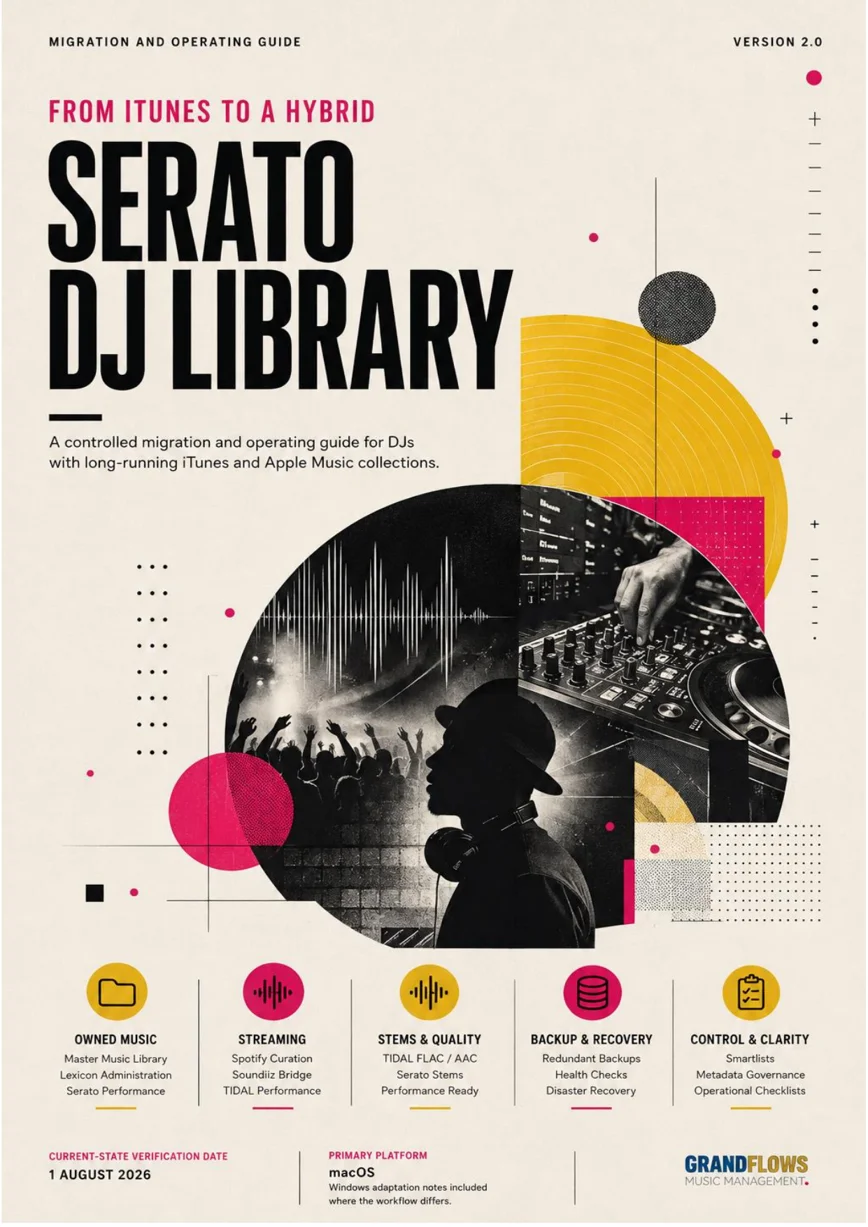
The system-overview infographic from the report, with every block linked to its section.
Part AREFERENCE
Menu Path Register
Exact locations for the recurring operations in this guide.
Menu Path Register
| Operation | Menu path — Export full Apple Music XML | Apple Music > File > Library > Export Library |
|---|---|---|
| Create Lexicon database backup | Lexicon > Backup > Database Backup > Create backup | |
| Import Apple XML into Lexicon | Lexicon > Sync > Import tracks & playlists > iTunes | |
| Import Serato into Lexicon | Lexicon > Sync > Import tracks & playlists > Serato DJ | |
| Create missing-files smartlist | Lexicon playlist panel > New Smartlist > Is file missing = true | |
| Bulk relocate missing files | Select missing tracks > right-click > Relocate > choose Master Music Library | |
| Sync Lexicon to Serato | Lexicon > Sync > Serato DJ Pro 4 > Full / Playlist / Modified | |
| Show or hide Apple local library | Serato > Setup > Library + Display > Show iTunes Library | |
| Enable streaming provider | Serato > Setup > Library + Display > Music Streaming > Show Streaming Services | |
| Create Lexicon Smartlist | Right-click a Lexicon playlist/folder > New Smartlist | |
| Configure Watch Folder | Lexicon > Tracks > Incoming > Settings | |
| Create Soundiiz sync | Soundiiz > Your Library > Playlists > playlist menu > Sync with | |
| Refresh TIDAL playlists in Serato | Toggle Show Streaming Services off and on |
LexiconSeratoTIDALSoundiiziTunesApple MusicXMLBackupFile pathsSmartlistsPlaylistsImportMaster Music Library
Part BREFERENCE
Recommended Folder Structure
A neutral filesystem layout that does not belong to Apple, Lexicon or Serato.
Recommended Folder Structure
~/Music/
├── Master Music Library/
│   ├── Music Library/
│   │   ├── Artist and album folders
│   │   ├── Compilations
│   │   └── _Recovered from old iTunes
│   ├── XML-files/
│   │   ├── Apple Music Current Library - YYYY-MM-DD.xml
│   │   ├── Legacy iTunes Music Library.xml
│   │   └── Migration Notes.txt
│   └── Lexicon Database Backups/
│       ├── Pre-migration baseline.zip
│       ├── Post-relocation baseline.zip
│       └── Successful Serato migration.zip
├── Lexicon/
│   └── Watch Folder/
├── _Serato_/
├── _Serato_Backup/
└── iTunes/
    └── OLD_iTunes Music - HOLD [temporary recovery source]
Part CREFERENCE
Primary Source Register
Official documentation used to verify version-sensitive claims as of 1 August 2026.
Primary Source Register
| Ref | Source and verified claim — S1 | Apple Support: XML export contains playlist and track information, not the audio files. |
|---|---|---|
| S2 | Lexicon DJ: procedure for importing a full Apple/iTunes XML into Lexicon. | |
| S3 | Lexicon DJ: direct Serato 3/4 import and the limitation that iTunes playlists do not come through Serato import. | |
| S4 | Lexicon DJ: dynamic rules, destination compatibility and static conversion when a rule is unsupported. | |
| S5 | Lexicon DJ: backup content, default location and automatic one-month cleanup. | |
| S6 | Lexicon DJ: relocation limits, duplicate-location conflicts and filename matching. | |
| S7 | Lexicon DJ: Watch Folder, Incoming processing and target-folder movement. | |
| S8 | Serato Support: difference between local Apple library integration and streaming; recommended Apple settings. | |
| S9 | Serato Support: Spotify playlist editing and adding Spotify tracks to crates in Serato DJ Pro 4.0.4+. | |
| S10 | Serato Support: TIDAL DJ Extension, FLAC/AAC, stems, internet requirement and recording restriction. | |
| S11 | Serato Support: general Serato Stems operation. | |
| S12 | Soundiiz Support: one-way playlist synchronization, Replace/Add methods, scheduling and sync-slot limits. | |
| S13 | Soundiiz Support: folder structures are not transferred. | |
| S14 | Serato Support: supported Serato Smart Crate fields including Grouping, BPM, Key and Genre. | |
| S15 | Serato Support: Spotify offline, stems, recording, deck-limit and stream-quality restrictions. |
LexiconSeratoSpotifyTIDALSoundiiziTunesXMLBackupCratesStemsPlaylistsImportGrouping
Part DREFERENCE
Migration Log Template
Record decisions and checkpoints so the process remains reversible.
Migration Log Template
| Date/time | Action | Old path / state | New path / state | Backup created | Result / unresolved issues — — | — | — | — | — | — |
|---|---|---|---|---|---|---|---|---|---|---|
| — | — | — | — | — | — | |||||
| — | — | — | — | — | — |
Backup
Checkpoint naming convention
- Lexicon Backup v1 — Before clean XML import
- Lexicon Backup v2 — After Serato merge
- Lexicon Backup v3 — After path relocation
- Lexicon Backup v4 — Successful Serato migration
- Serato Backup — Before first Lexicon Full Sync
Part EREFERENCE
Glossary
Operational terminology used throughout the guide.
Glossary
| Term | Definition — Administration Mode | Lexicon-led work on owned files, metadata, playlists, smartlists, recovery and synchronization. |
|---|---|---|
| Performance Mode | Serato-led runtime work: crates, playback, streaming, stems, cues and event execution. | |
| Master Music Library | The application-neutral filesystem folder containing the DJ's owned local audio. | |
| XML | A portable text-based export containing Apple Music/iTunes track information and playlists, but not the audio. | |
| .musiclibrary | The modern Apple Music database package on macOS. | |
| Crate | Serato's term for a native playlist. | |
| Subcrate | A crate nested under another crate for hierarchy. | |
| Smartlist | Lexicon's dynamic rule-based playlist. | |
| Smart Crate | Serato's dynamic rule-based crate. | |
| Grouping | A metadata field particularly useful for riddim or musical-family classification. | |
| Relocate | Reconnect an existing database record to a file at a new physical location. | |
| Full Sync | A complete destination mirror operation; use with caution after Serato-only work. | |
| Modified Sync | Routine synchronization of changes since the previous sync. | |
| Playlist Sync | Synchronization of selected playlists without a full destination replacement. | |
| Streaming mirror | A destination playlist maintained from a source playlist through a one-way sync service. | |
| Source of truth | The system whose version is authoritative when multiple copies exist. |
LexiconSeratoiTunesApple MusicXMLFile pathsSmartlistsCratesMetadataStemsPlaylistsGroupingRecoveryMaster Music Library